
How do I get my recorder on the network?
Below are the steps on how to properly connect your recorder to your network.
Prerequisites
- Have your device initialized
- Have a data cable (RJ-45)
- Have a network
Connecting your device:
- Plugin the data cable to the LAN port on the back of the recorder
- Plug the other end of the data cable into the network (router, switch)
Setting up your connection to the network:
- login into your recorder and go to the main menu
- Locate the "Network Settings" button
- You will be directed to a new page and should be on the "TCP/IP" setting by default (If this is your first time on the network menu you will be already on TCP/IP.)
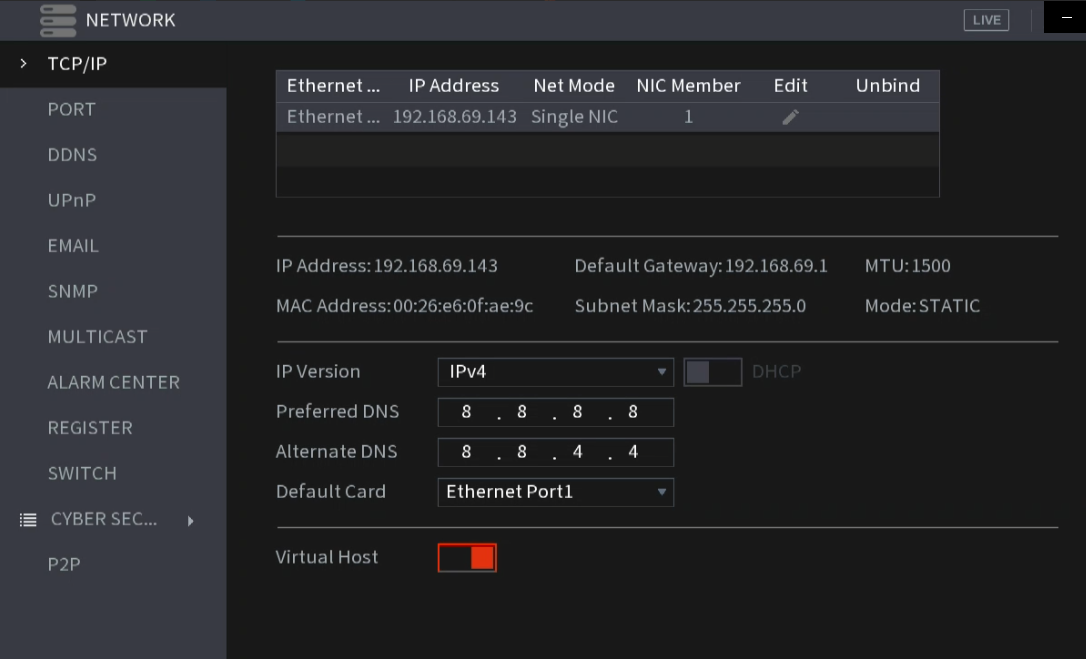
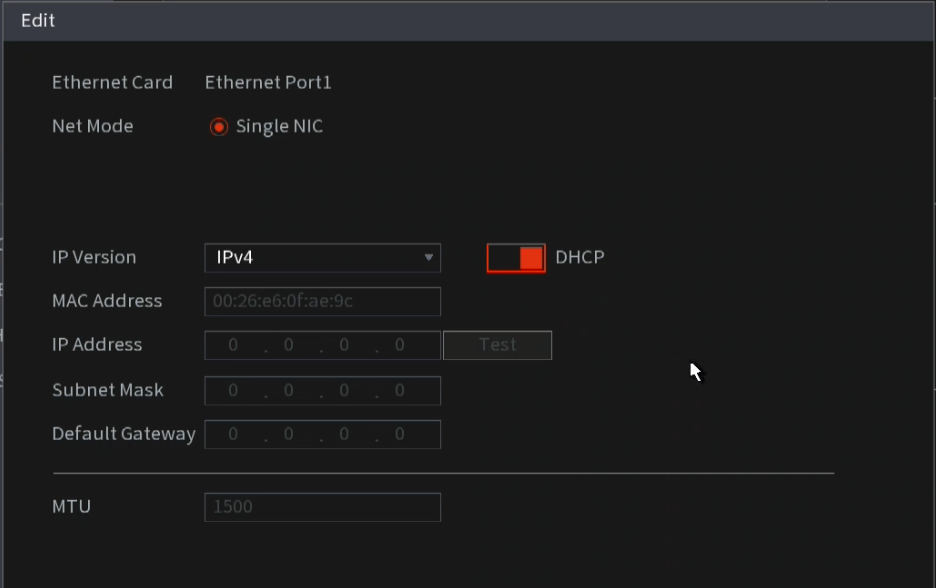
4. Here you are able to make changes to the recorders network settings, for quick set-up, you can set your device to "DHCP"
Still stuck?
Our support team answers by email. It helps to have these ready:
Model numberSerial numberFirmware or app versionWhat you have tried